
AdventHealth
AdventHealthMedical
4.12.76K Reviews
- Version
- 5.6.15
- Installs
- 500.00K
- Age Rating
- Everyone
Screenshots
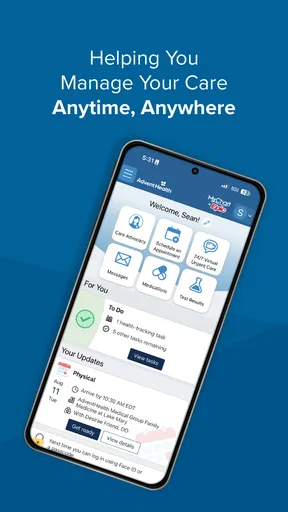
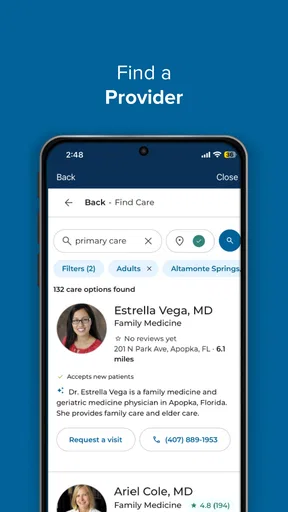
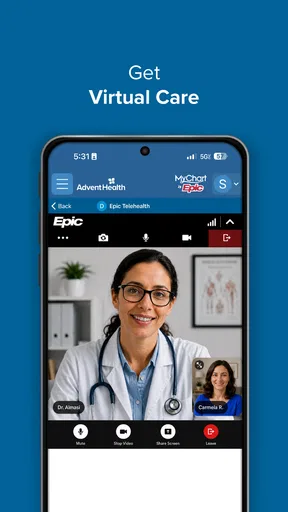
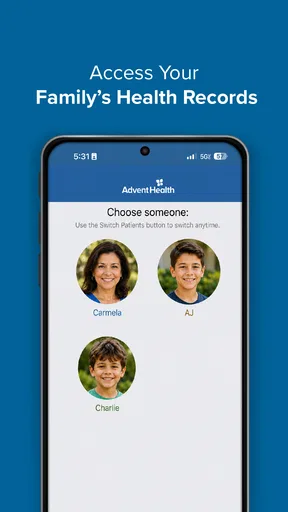
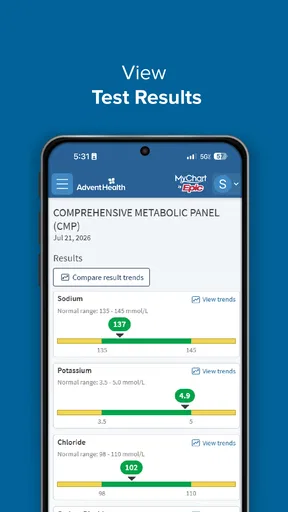
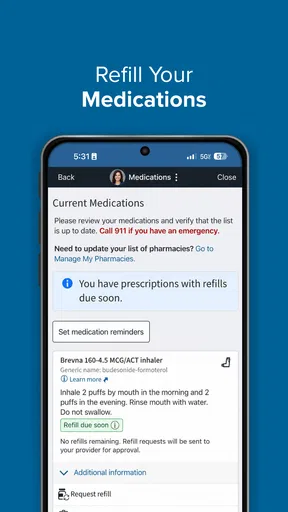
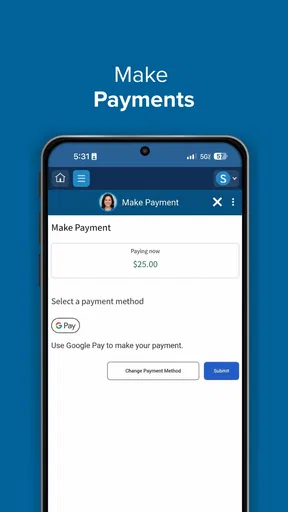
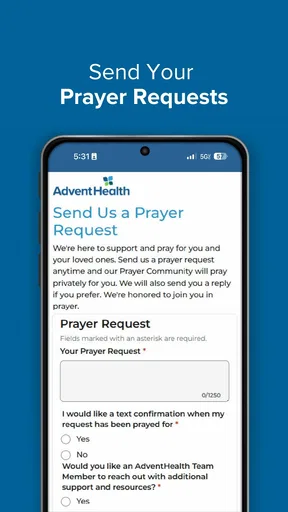
Our Review of AdventHealth
 Analysis by Appyee
Managing healthcare from a phone sounds simple until you need to find the right appointment, check a message, or remember where a medical document was stored. AdventHealth approaches that everyday problem as a medical app built around access to care rather than general wellness tracking. I found it most useful when I treated it as a practical companion to an existing relationship with AdventHealth, not as a replacement for a clinician or an emergency service.
The app is free, aimed at everyone, and developed by AdventHealth. Its store presence is substantial, with over 500 thousand installs, an average rating of 3.9, and thousands of ratings and reviews. Those figures suggest a service that many people rely on, while also hinting at the mixed experience common to healthcare apps: the value can be high when the right information is available, but frustration rises quickly when a task depends on account access, provider participation, or a particular care workflow.
How I use AdventHealth as a daily healthcare tool
My baseline workflow is deliberately narrow. I open the app when I have a specific healthcare task, complete that task, and avoid treating the home screen as a place to browse aimlessly. That approach makes the experience feel less like navigating a large medical organization and more like keeping a small set of errands in one place.
A typical scenario is preparing for an appointment. Before leaving home, I use the app to review the relevant details available in my account, check any communication connected with the visit, and make sure I know what I need to handle next. The useful habit is doing this before I am standing at a reception desk or trying to remember instructions from a previous conversation. A few minutes of preparation can prevent the common mistake of arriving with an unanswered question or missing information.
I also see value in using it after care, when memory is less reliable than people assume. Medical visits often involve several instructions, follow-up actions, and questions that only appear later. Rather than relying entirely on text messages, paper notes, or a separate notes app, I return to the healthcare record and communication areas that are available to me. That creates a more dependable routine, especially for someone managing care for a family member.
The important qualification is that this is not a universal medical dashboard. Its usefulness depends on whether your care is connected to AdventHealth and on which services your account can access. If your doctors, records, or appointments belong to another health system, a general health app may be more relevant. I would not install this expecting a single place for every provider, pharmacy, insurance plan, and wearable device.
Where it fits better than the usual alternatives
The usual alternative is a mixture of browser bookmarks, phone calls, paper documents, and a general calendar. That mixture can work, but it scatters information across several places. AdventHealth has a clearer advantage when the task involves the health system itself, because the app gives those interactions a dedicated home instead of making me search through unrelated tools.
A general symptom tracker is better for recording daily observations, while a fitness app is better for exercise, sleep, or activity trends. Neither is designed to organize the practical relationship between a patient and a healthcare provider. AdventHealth occupies that narrower space. I would choose it for care coordination and account-related tasks, not for long-term personal health analysis.
There is also a difference between convenience and clinical authority. Seeing information in an app does not turn it into a diagnosis, and a message or appointment entry should not be interpreted as urgent medical guidance unless a qualified professional says so. For severe or time-sensitive symptoms, I would use the appropriate emergency route rather than waiting for an app workflow.
Small habits that make the first setup easier
My first recommendation is to set it up when you are calm, not while sitting in a waiting room. Account creation, sign-in, and identity checks are much easier when you have time to read each screen and recover from a forgotten credential. I also keep the contact details associated with my healthcare account current, because outdated information can create friction precisely when I need access quickly.
Another useful habit is to decide what the app is for before enabling every available alert. Healthcare notifications can be valuable, but too many low-priority prompts train me to dismiss everything. I prefer alerts that help me act, such as a new care-related message or a change that requires attention, while checking the app manually when I simply want to review information.
The best starting point is a repeatable care routine, not constant checking. Open the app before an appointment, after an appointment, and whenever you are expecting a response. That rhythm gives it a clear job and makes it less likely that important information will be buried among casual phone notifications.
Settings worth checking before relying on it
Healthcare apps deserve a slower settings review than entertainment apps. I check notification controls first, then the account and security options that are visible to me. The goal is not to change everything; it is to understand which alerts are actionable and how the app behaves when I sign in from a new device or after a long gap.
I also review whether the phone itself is showing sensitive previews on the lock screen. This is not a criticism unique to AdventHealth. A private message can become visible if the operating system displays notification content openly. I prefer to keep the alert useful without exposing more medical detail than necessary when the phone is on a desk or shared with someone else.
When several people use one device, I pay particular attention to sign-out behavior and account switching. Healthcare information should not be treated like a shared shopping account. I avoid leaving an account open on a family tablet, and I make sure the correct person is selected before reading or sending anything. That simple check is more important than shaving a few seconds from the login process.
The current version is 5.6.6, and the app requires at least iOS 11. I would check the operating system before planning to use it on an older iPhone, especially if that phone is kept as a backup. Compatibility is easy to overlook because a device may still run many other apps without trouble. Here, the minimum system requirement can decide whether the app belongs on that device at all.
I would also keep the application updated through the normal device process. In a medical app, updates are not only about visual changes. They can affect sign-in reliability, compatibility, and how current screens behave. I do not assume that an update will solve every account problem, but I would not troubleshoot an old installation for hours before checking whether a newer version is available.
Faster patterns for repeat users
Experienced use is mostly about reducing unnecessary journeys. I begin from the task I already know I need to complete instead of exploring every section. If I am checking an upcoming visit, I go directly to appointment-related information. If I am looking for communication, I avoid mixing that search with unrelated record browsing. This sounds obvious, but separating tasks reduces the chance of overlooking an important message.
I also prepare questions before opening the app. For a follow-up appointment, I keep a short list in my phone’s notes and then use the healthcare app for the information that belongs in the AdventHealth account. This division works better than trying to force the app to become a personal diary. The app handles the provider-side connection; my notes handle observations and questions I want to remember.
For recurring care, I use the same pre-visit checklist each time: confirm the appointment details, review recent communication, gather questions, and check whether there is anything I need to complete before leaving. Afterward, I repeat the review once the visit is over. The benefit is consistency. I am less dependent on remembering which screen I used last time, and I can spot an unfinished action before it turns into a phone call.
Families can adapt the same pattern, but I would keep each person’s information clearly separated. A parent helping a child or an adult assisting an older relative may need access to several accounts or care arrangements. That is exactly when shortcuts become risky. Speed is helpful only if the right patient and the right appointment remain in view.
One less obvious trade-off is that a dedicated app can make me overconfident about completeness. I may assume that everything important must appear there because it is the official channel. I counter that by keeping a simple external calendar for appointment timing and a private note for questions. I do not duplicate every medical detail, but I maintain enough context to notice when an expected update has not arrived.
What the app cannot replace
AdventHealth is not the right choice for someone seeking a broad, all-in-one health journal. If your main goal is logging water, workouts, mood, sleep, or nutrition, a wellness-focused app will usually offer a deeper daily tracking experience. This app makes more sense when your priority is interacting with AdventHealth and organizing care-related tasks.
It is also not a substitute for calling a clinic when a matter is urgent, complicated, or blocked by an account issue. Digital convenience has a boundary: if a message needs immediate clarification, a phone conversation may be faster and safer. I would not keep refreshing the app while symptoms worsen or while an appointment problem is becoming time-sensitive.
Another limitation is the dependence on digital access. A weak connection, an older device, forgotten credentials, or an account mismatch can turn a quick task into a delay. I keep essential appointment information available through a second practical method, such as a calendar entry or written note. That is not redundant in a wasteful sense; it is sensible backup for healthcare logistics.
The app also requires a degree of comfort with account security. Someone who struggles with passwords, device settings, or notification controls may find a phone call more straightforward. I would recommend it to that person only if a trusted family member can help with setup without taking over private information. The app is most useful when the user can confidently identify the correct account and understand what each action means.
Privacy is another reason to use deliberate habits. I avoid discussing sensitive information through an account that several people can access, and I check recipients carefully before sending any message. The convenience of a digital channel should not encourage casual handling of medical details. A few seconds of verification is worth more than an accidental correction later.
Who will get the most value from it?
I think AdventHealth is a strong fit for patients who regularly receive care through AdventHealth and want a central mobile route for appointments, communications, and related account tasks. It is especially practical for people who dislike phone queues, frequently forget visit details, or coordinate care for a household member.
It can also help people who are moving from paper-based organization to a more repeatable digital routine. The transition works best when the app is paired with a clear habit: check before care, review after care, and keep a backup for the few details that would cause real trouble if forgotten. That is more realistic than expecting the app to eliminate every other healthcare tool.
I would hesitate to recommend it as a first choice to someone whose providers are outside AdventHealth, who wants extensive lifestyle analytics, or who needs immediate medical assistance. In those situations, a different provider app, a specialist service, a phone call, or emergency care may be the better route. The app’s strength is focused access, not universal coverage.
My verdict after building a repeatable workflow
AdventHealth succeeds when I use it as a focused bridge between my phone and AdventHealth’s care experience. Its free price removes an obvious barrier, and the Everyone age rating makes it approachable for a wide range of users. The 3.9 average shows a generally useful but not flawless experience, which matches my view: the app can simplify important routines, yet account access and service-specific limitations still matter.
I would recommend installing it if AdventHealth is part of your regular care and you want fewer scattered steps around appointments and communication. I would not recommend installing it merely because it is a medical app; its value comes from the connection to this particular healthcare provider. Before depending on it, I would confirm that the phone meets the iOS requirement, review notification privacy, and establish a backup for essential appointment details.
My final judgment is practical rather than enthusiastic: this is a worthwhile companion for the right patient, especially when used with settings that protect privacy and habits that separate preparation, communication, and follow-up. AdventHealth is most effective when it supports a clear healthcare routine instead of trying to become your entire health life. That focused role is also its main limitation, but for patients inside the AdventHealth system, it can make everyday care administration noticeably easier.
Privacy and Permissions
See what permissions an app requests and how it handles your data.
- Device & app history
- retrieve running apps
- Location
- approximate location (network-based), precise location (GPS and network-based)
- Phone
- directly call phone numbers, read phone status and identity
- Photos/Media/Files
- read the contents of your USB storage, modify or delete the contents of your USB storage
- Storage
- read the contents of your USB storage, modify or delete the contents of your USB storage
- Camera
- take pictures and videos
- Microphone
- record audio
- Wi-Fi connection information
- view Wi-Fi connections
- Device ID & call information
- read phone status and identity
- Other
- view network connections, pair with Bluetooth devices, access Bluetooth settings, full network access, change your audio settings, control Near Field Communication, run at startup, reorder running apps, draw over other apps, control vibration, prevent device from sleeping
Verdict
Strengths of AdventHealth
- Easy access to appointments, test results, and medical records
- Secure messaging helps users contact their care team remotely
- Medication lists and health information are available in one place
- Many services support convenient virtual visits and digital check-in
- Helpful for managing care across AdventHealth facilities
Limitations of AdventHealth
- Most features are limited to AdventHealth patients and affiliated providers
- Account setup may require personal details and identity verification
- Some results or records can take time to appear in the app
- Appointment availability depends on location and provider schedules
- The app may feel less useful outside the AdventHealth network
Similar Picks in This Category
View All
WebMD: Symptom Checker
WebMD, LLC4.1

Microphone Amplifier
DOSA Apps4.2

Anatomy Learning - 3D Anatomy
3D Medical OU4.5

Period Tracker and Calendar
SimpleInnovation4.9

GoodRx: Prescription Coupons
GoodRx4.8

CVS Health
CVS Pharmacy4.5
Frequently Asked Questions
What is the AdventHealth app used for?
The AdventHealth app is designed to help patients manage many everyday healthcare needs from a mobile device. Depending on your location and available services, you can use it to find doctors and facilities, schedule or request appointments, view portions of your health information, access virtual care, review billing details, and receive health-related messages. Available features may vary by AdventHealth region and account type.
How do I create an account or sign in to AdventHealth?
You generally sign in using an AdventHealth online account, often connected with the health system’s patient portal. New users may need to provide identifying information, verify their identity, and create login credentials before accessing personal medical information. Some features may require additional verification for security. If you already use AdventHealth online services, try those same credentials first, and use the password-recovery option if necessary.
Can I schedule appointments and communicate with my doctor through the app?
In many cases, the app allows you to search for providers, request or schedule eligible appointments, review upcoming visits, and receive appointment reminders. Depending on the department and provider, you may also be able to send secure messages or begin a virtual visit. Not every appointment type is available online, so complex, urgent, or specialized care may require calling the office directly.
Does AdventHealth offer telehealth or virtual appointments?
AdventHealth may provide virtual care options through the app or connected online services, allowing eligible patients to meet with a healthcare professional remotely. Availability can depend on your location, insurance, provider, appointment type, and technical requirements. A reliable internet connection, a compatible device, and camera or microphone permissions may be needed. Virtual care is not intended for life-threatening emergencies.
Is the AdventHealth app safe for viewing personal health information?
The app is intended to protect patient information through account authentication and secure handling of health data, but users should still take normal precautions. Use a strong, unique password, enable device security, avoid signing in on public or shared devices, and install updates from official app stores. For emergencies, urgent symptoms, or immediate medical danger, contact emergency services rather than relying on the app.
